Free download
Google Ads test tracker for the first $35
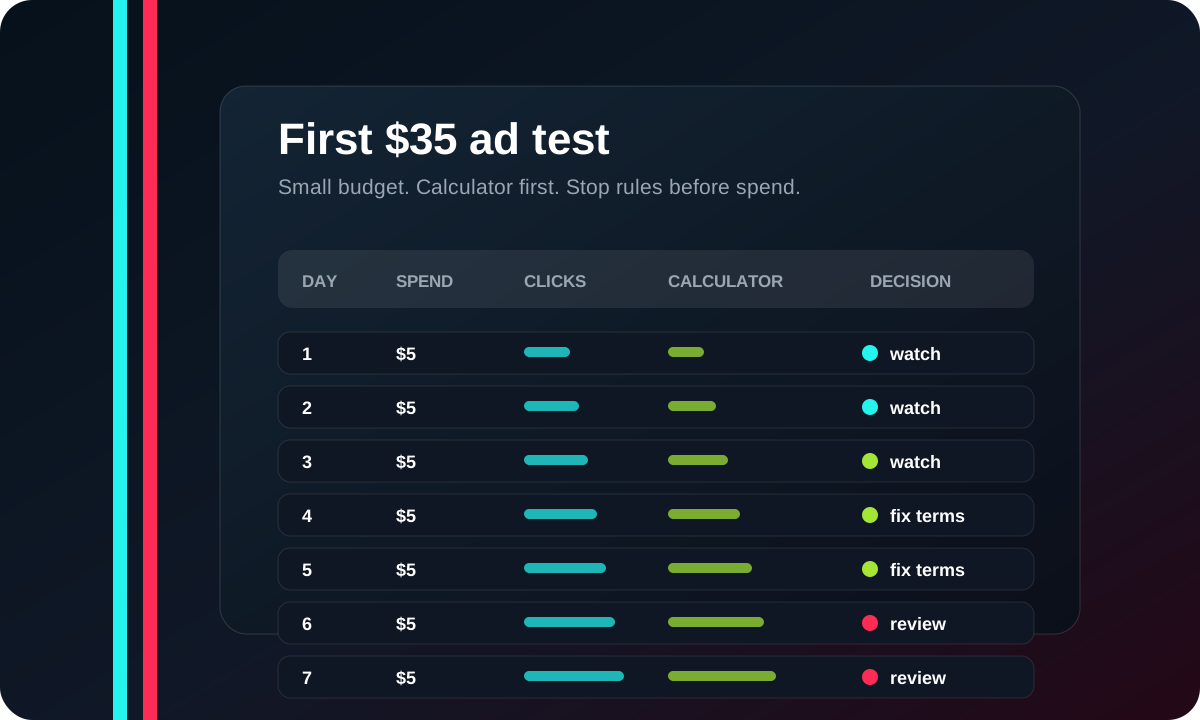
Use this CSV when you run a tiny Google Ads test to the free profit calculator. It keeps the test boring on purpose: $5/day, 7 days, no big promises.
Download the tracker
Open the CSV in Google Sheets or Excel. Fill one row per day during the first week. If the data is messy, good. That is why the test stays small.
What to track
| Metric | Why it matters | Beginner rule |
|---|---|---|
| Spend | Stops the test from drifting past the cap. | Keep it near $5/day. |
| Search terms | Shows whether Google is matching the wrong intent. | Add obvious bad terms as negatives. |
| Calculator visits | Shows whether visitors use the free tool. | This matters more than a first-week sale. |
| Starter sheet clicks | Shows whether the free page creates purchase interest. | Track clicks before judging purchases. |
| Decision | Forces a stop, fix, or continue call. | Do not raise budget without a reason. |
Stop rules
- Stop if search terms are mostly jobs, support, login, coupon, or unrelated TikTok queries.
- Stop if visitors click but do not use the calculator.
- Fix the landing page if people reach the page but ignore the inputs.
- Keep the same budget if the signal is unclear. Do not scale from hope.
Use the calculator page first
The first ad should point to the free calculator, not checkout. A beginner seller needs to see the math before they trust a paid sheet. The $9 sheet can sit one step later.
Source notes
References to check
The visual above is original to ShopROAS. These Google references are the ones to check before spending real ad budget.
Use this before setting a small daily budget.
Source 2 Google Ads destination requirementsCheck this before sending paid traffic to a landing page.
Source 3 Google Ads misrepresentation policyReview this before writing claims about results, pricing, or business identity.
Source 4 Google Ads search terms reportUse this to find irrelevant search terms and add negatives.